Home office productivity depends on more than willpower. It depends on the room you work in. A cluttered desk drags on your focus. Poor lighting does too. So does a noisy corner of the house. None of this changes no matter how disciplined you are. This guide looks at the physical side of a home office. That means where you put it, how you set it up, and what you put in it. Get these things right, and good work habits become much easier to keep.
What Home Office Productivity Really Means
Home office productivity is the output you get from the time you spend working at home. It is shaped by your environment as much as your effort. A well-set-up space cuts down on small frictions. You are not hunting for a phone charger. You are not squinting at a screen. You are not shifting in an uncomfortable chair every twenty minutes. Each of those frictions seems small on its own. Add them up over a working day, and they cost you real focus and time. A good home office setup removes as many of these frictions as possible before you even start work. Think of it as clearing the path, so your attention goes straight to the task rather than to the room around it.
Choosing the Right Spot for Your Home Office
Where you put your desk matters more than most people expect. A spare room is ideal, because it gives you a door you can close. If you do not have a spare room, pick a quiet corner away from the kitchen, television, or main hallway. Foot traffic breaks your concentration even when nobody says a word to you. Your brain notices movement and sound. It pulls your attention away from the task in front of you, often without you realising it happened.
Look at natural light and noise before you settle on a spot. A spot near a window gives you daylight. Daylight helps your mood and alertness through the day. A spot near a shared wall or a busy room brings in noise you cannot always control. Walk around your home at different times of day. Notice which areas stay calm during the hours you plan to work. That short bit of research pays off once you are trying to concentrate during a work call. It is one of the simplest ways to boost home office productivity before you buy a single item.
Think about the shape of the room as well as its location. A corner with two walls behind your desk feels more enclosed and settled. That beats an open spot in the middle of a room. A spot facing a wall, rather than a doorway, cuts down on the pull to look up every time someone walks past. Small layout choices like these add up. Together, they create a space that feels calmer to sit in for hours at a time.
Setting Up an Ergonomic Desk and Chair
Your desk and chair affect your body every single day you use them. Poor posture from a low chair or a desk that is too high leads to problems. Back pain, stiff shoulders, and tired eyes are common results. Over months, this pain builds up. It makes it harder to sit and focus for long stretches. An ergonomic setup is not a luxury. It is one of the most direct ways to protect your ability to work well.
Aim for a chair that supports your lower back. Your feet should rest flat on the floor. Your elbows should sit at roughly a 90-degree angle when you type. Your monitor should sit at eye level, about an arm’s length away. This stops you craning your neck down or forward for hours at a time. If your desk is fixed height and too tall, a footrest can help. A cushion on your chair works too, closing the gap between you and the desk. Small adjustments like these reduce strain across a full working day.
Your keyboard and mouse deserve the same attention as your chair. Keep them close enough that you do not reach forward to use them. Reaching forward repeatedly strains your shoulders over time, even if each reach feels small. A wrist rest can help if you type for long stretches, keeping your wrists level rather than bent upward. If you can, alternate between sitting and standing during the day. Even a simple box that raises your laptop for short standing spells breaks up long periods of sitting. These small ergonomic fixes are some of the highest-value changes for home office productivity, because you feel the benefit every single hour you sit down.
For a simple, practical walkthrough of setting up a functional desk, watch this short video. It shows how a few small changes to desk height and monitor position make a noticeable difference.
Video: https://youtu.be/IhXz1pC4hA0
Getting the Lighting Right
Lighting affects how alert and focused you feel, more than most people realise. Dim or harsh lighting causes eye strain and headaches. Both chip away at your concentration by mid-afternoon. Good lighting keeps you alert without you having to think about it. This is one of the cheapest changes you can make to a home office, and one of the most overlooked.
Position your desk so natural light comes from the side. Avoid having it directly behind or in front of your screen. Light from behind you causes glare on the monitor. Light directly in front of you can wash out the screen. Both tire your eyes faster than side lighting does. Add a task lamp for darker mornings or evenings. Choose a warm-white bulb rather than a harsh blue-white one. Warm light is easier on your eyes over a long session. A lamp positioned beside your laptop, angled away from your eyes, gives even light without glare. It supports home office productivity through the darker months of the year.
Natural daylight does more than help you see the screen. Exposure to daylight during the day supports your body’s natural sleep and wake cycle. That, in turn, affects how alert you feel at your desk. If your workspace has no window nearby, try to get outside briefly at lunch. A short walk in daylight can make the rest of your afternoon feel less sluggish. This matters more for home office productivity than most people expect.
Controlling Noise in Your Workspace
Noise is one of the biggest drains on focus in a home office. It has a direct effect on home office productivity. It forces your brain to keep tuning in and out of the background. Every ping, bark, or burst of traffic noise pulls a small slice of attention away from your work. Even noise you consciously ignore still uses up mental energy. Reducing noise at the source, and blocking what is left, protects your concentration. This works far better than trying to power through it.
Start with the room itself. A rug on a hard floor absorbs sound that would otherwise bounce around a bare room. Curtains work better than blinds for the same reason. A door that closes properly blocks noise from the rest of the house. These are one-off fixes that keep working for you every day after that. If background noise still gets through, noise-cancelling headphones are a practical next step. Look for a pair with a comfortable, well-padded fit, since you may wear them for hours. Good sound quality matters too, particularly if you take calls through them.
Some people find a steady layer of white noise easier to focus with than total silence. Instrumental music works for the same reason for many people. Either one masks sudden sounds, like a dog barking or a door slamming, that would otherwise break your concentration. A small desktop white noise machine works well if you would rather not wear headphones all day. A simple app on your phone does the same job for free. There is no cost barrier to trying it.
Organising Your Equipment and Supplies
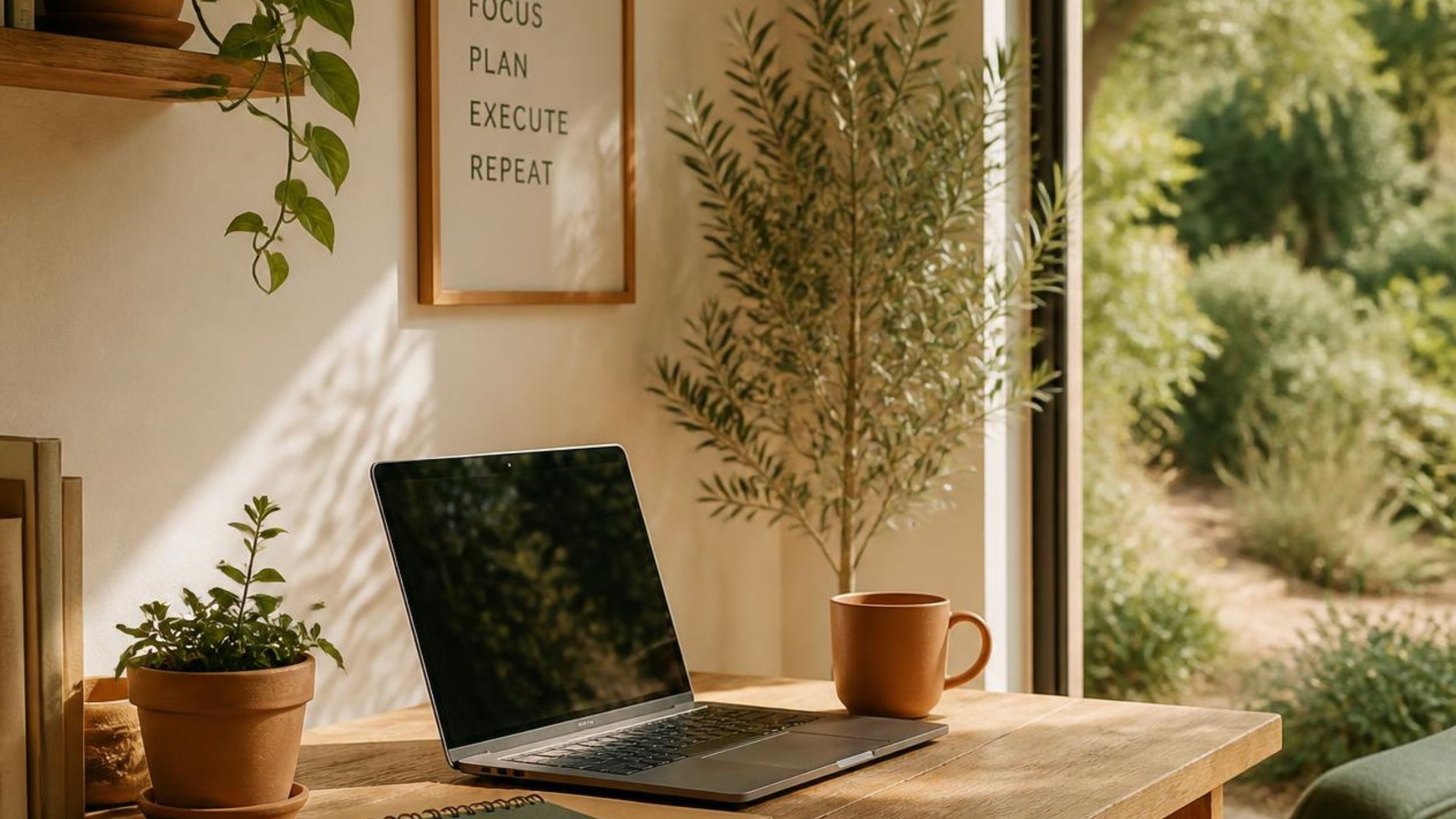
An organised desk keeps your hands moving and your mind on the task. It stops you searching for things mid-task. Cables running loose across your desk or floor create visual clutter. They are also a real trip hazard. A cable tray, some clips, or a simple velcro tie can tidy this up in under an hour. Keep your everyday supplies, such as pens, notebooks, and chargers, in a drawer or a small tray within reach. This stops small interruptions where you get up to find something you need.
Think about what equipment earns a permanent spot on your desk. A second monitor, a decent webcam, and a proper keyboard are worth the desk space if you use them daily. Items you use only occasionally, like a scanner or spare cables, belong in a drawer or cupboard nearby instead. A labelled bin or folder for paperwork stops loose pages turning into a pile. A desk with only the tools you actually use keeps your attention on your work. The clutter around it stops competing for your attention.
Printers and scanners are worth placing off the desk itself if you have the space. They take up a lot of surface area for something used only a few times a day. A small table or shelf nearby keeps them within reach without eating into your main work surface. This leaves your desk free for the laptop, keyboard, and notebook you use constantly through the day. A tidy, well-organised desk is a small thing on its own, but it adds up to real home office productivity over a full week.
Temperature, Air and Comfort in Your Workspace
Room temperature has a direct effect on home office productivity, because it changes how well you concentrate. A room that is too warm makes you drowsy within an hour or two. A room that is too cold makes it hard to sit still and focus on anything else. Most people concentrate best somewhere between 20 and 22 degrees Celsius. It is worth testing what feels right for you, since this varies slightly from person to person.
Fresh air matters too, even though it is easy to overlook. A stuffy room with the windows shut all day builds up carbon dioxide. This can leave you feeling foggy and tired by the afternoon. Opening a window for a few minutes between tasks clears the air. It helps you feel more alert afterwards. A small desk fan is a cheap fix if your workspace tends to get stuffy or warm, particularly in summer. Some people also find that a plant or two on the desk makes the space feel calmer to work in. The effect here is mostly about how the room looks and feels, rather than the air itself.
Keeping Your Office Space Separate From Living Space
Keeping work and living space apart is one of the simplest ways to protect home office productivity. Your brain reads physical space as a signal. If your laptop lives on the kitchen table, that table gets tied to both eating and working. Neither activity gets your full attention as a result. A workspace that is physically separate from where you relax gives your brain a clear cue. This spot means work, and nothing else. Walking into that space, or even sitting down at that specific desk, starts to trigger focus almost automatically after a while. That is a real win for home office productivity, and it costs nothing to set up.
You do not need a spare room to get this separation. A dedicated corner works. So does a desk behind a screen or bookshelf. A laptop stand that only comes out for work hours can do the job too. The key is consistency. Use that spot for work and nothing else, so the association stays strong over time. When you finish for the day, physically leave that spot. Even a few steps away helps your mind register that work has ended.
A room divider or bookshelf is a cheap way to create separation inside a shared room. It does not need to be a solid wall to work. Even a visual break, like a curtain or a tall plant, marks out where the workspace starts and ends. Closing a laptop and putting it away works the same way in a smaller flat. The physical act of packing it up tells your brain the workday is over. Leaving it open on the table does not send the same signal.
Building a Simple Daily Rhythm Around Your Desk
A short routine tied to your physical space makes it easier to start and stop work cleanly. Sitting down at the same desk, at roughly the same time, signals to your brain that focused work is starting. Many people find it helps to spend a few minutes each morning planning the day before diving in. If you want a straightforward way to do this, our guide on morning routine planning covers six simple steps.
Breaks matter just as much as start-up routines. They work best when they involve physically leaving your desk. Sitting still for hours straight tires your eyes and stiffens your body. Both of those slow you down over the course of a day. The Pomodoro technique, which focuses on taking regular breaks pairs 25 minutes of work with a five-minute break away from your screen. Standing up, stretching, or walking to another room during that break gives your eyes and body a real reset. You come back to your desk sharper than before.
Ending the day with a short shutdown habit closes the loop that the morning routine opens. Tidy the desk, close open notebooks, and switch off the lamp before you leave the room. This small act marks the end of work clearly, the same way turning on the lamp marked the start. Over time, this rhythm becomes automatic. You stop needing to think about when to start or stop. That consistency is what keeps home office productivity steady from one day to the next.
Common Mistakes to Avoid
- Working from a sofa or bed long-term. It leads to poor posture and blurs the line between rest and work.
- Ignoring lighting until eye strain or headaches force a change.
- Letting cables, papers, and odd items pile up on the desk until it becomes hard to focus.
- Placing a desk in a high-traffic area of the home. Noise and movement there constantly break concentration.
- Buying expensive gadgets before fixing basics like chair height, monitor position, and lighting.
- Skipping breaks and staying seated for hours. This increases fatigue and reduces output later in the day.
- Ignoring room temperature and stale air. Both make it harder to stay alert through the afternoon.
Putting It All Together
None of these changes need to happen at once. Pick one area, such as your chair or your lighting, and fix that first. Small, steady improvements to your physical space add up to a real gain in home office productivity over a few weeks. The goal is a room that works with you, not against you, so your focus goes where it should: on the task in front of you.
Frequently Asked Questions
What is the single biggest factor in home office productivity? Your desk and chair setup usually matters most. You interact with them all day. Poor ergonomics cause physical discomfort that builds up and distracts you constantly. Fixing posture and screen height first tends to bring the fastest improvement.
Do I need a separate room for a productive home office? No, a separate room helps but is not essential. A consistent, dedicated corner used only for work can create a similar mental cue. What matters most is that the space stays linked to work, and nothing else.
How much should I spend on home office equipment? Start with the basics. A supportive chair, correct monitor height, and good lighting come first. These changes cost little or nothing if you already own adjustable furniture. Add extras like a second monitor or better headphones once the basics are sorted.
Are noise-cancelling headphones worth it for a home office? They help a lot if your home has unavoidable background noise, such as traffic or family members nearby. Combine them with simple room fixes like rugs and curtains for the best result. A comfortable fit matters as much as the noise-cancelling feature itself. You may wear them for hours at a time.
How often should I take breaks when working from a home office? A short break every 25 to 30 minutes works well for most people. Standing up and moving away from your desk helps more than simply looking away from the screen. The Pomodoro technique is a simple structure to follow if you want a set pattern.